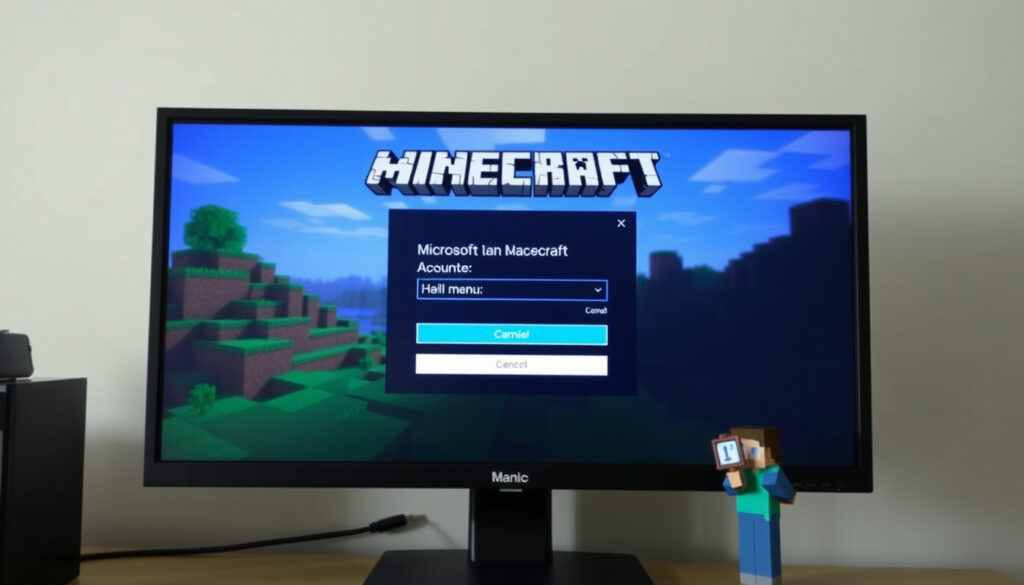
How to Enter Microsoft Link Code in Minecraft
Few things in gaming are as satisfying as cracking open a fresh Minecraft code. But when you sit down to redeem it, that single-use string can quickly lead to confusion—especially when you’re asked to visit a site like Microsoft account sign-in page instead of a simple code box. This guide walks you through exactly where to enter that code, how to link your Microsoft account, and what to do if something goes wrong.
Official redemption URL: microsoft.com/link ·
Supported platforms: Windows, Android, iOS, Xbox, Nintendo Switch ·
Code type: Single-use alphanumeric code ·
Common issue: Invalid or expired code
Quick snapshot
- A single-use code for linking accounts (Minecraft.net official redemption portal)
- Opens automatically when signing into Minecraft (Microsoft Q&A developer support forum)
- Must be entered at microsoft.com/link (Minecraft.net)
- Launch Minecraft and follow sign-in prompts (Microsoft Q&A)
- Copy the code shown on screen (Microsoft Q&A code format details)
- Visit microsoft.com/link and sign in (Minecraft.net)
- Cross-platform progress (Minecraft Help Center cross-play guide)
- Access to Microsoft Store purchases (Minecraft.net)
- Cloud saves and parental controls (Microsoft account management)
- Code expires after 5 minutes (Microsoft Q&A time window)
- Ensure stable internet connection (Minecraft Help Center)
- Use a supported browser (Minecraft.net)
Six key facts, one pattern: the code entry process is deliberately split between the game and the web to prevent accidental redemption.
| Fact | Details |
|---|---|
| Official URL | microsoft.com/link |
| Code validity duration | Approximately 5 minutes |
| Supported platforms for code entry | Windows, Android, iOS, Xbox, Nintendo Switch |
| Account type required | Microsoft account (free to create) |
| Primary use case | Redeem Minecraft Bedrock Edition after purchase or migration |
| Code format | 25-character alphanumeric code (Microsoft Q&A) |
The table above distills the core parameters for any Minecraft redemption attempt.
What is a Minecraft Link?
Before you jump into the redemption steps, it helps to understand what that link code actually is. Microsoft uses a two‑step authentication flow: Minecraft generates a short code on your device, and you enter it at microsoft.com/link to prove you own the account. This prevents anyone from redeeming a code just by knowing your password.
How does the link code work?
- When you select “Sign in with a Microsoft account” inside Minecraft, the game displays a unique 8‑digit code on the home screen (Microsoft Q&A developer support forum).
- That code is a one‑time token – it expires after roughly 5 minutes (Microsoft Q&A).
- Enter the code at microsoft.com/link while signed into your Microsoft account to complete the link (Minecraft.net official redemption portal).
The split between in‑game code and web entry means your credentials never leave the Microsoft login page – a small security trade‑off that adds a step but reduces phishing risk.
Why do I need a Microsoft account for Minecraft?
Since 2020, Minecraft has required a Microsoft account for every edition. For Bedrock Edition, it unlocks online multiplayer, cross‑platform play, and cloud saves (Minecraft Help Center cross-play guide). Java Edition players who migrated from Mojang accounts also need one to keep their skins and worlds.
The catch: once you link a Microsoft account to a Minecraft profile, un‑linking is nearly impossible – so choose the account you want to use permanently.
How to Enter Microsoft Link Code?
The actual entry process is identical across platforms: you enter the code in a browser, not inside Minecraft. Here’s the step‑by‑step.
How do I enter my code on Android?
- Open Minecraft and tap “Sign in with a Microsoft account” (Microsoft Q&A).
- An 8‑digit code appears on screen – copy it or keep the screen open.
- On your phone’s browser, go to microsoft.com/link and sign in with your Microsoft account (Minecraft.net).
- Enter the 8‑digit code and click “Next” to confirm the link.
How to enter code into Minecraft on PC?
- Launch Minecraft (Windows 10/11 or Java Edition with the new launcher).
- Select “Sign in with a Microsoft account” from the main menu (Microsoft Q&A).
- Note the code displayed. Open your browser and go to microsoft.com/link.
- Sign in with the same Microsoft account you want to use for Minecraft, enter the code, and complete verification.
If you use multiple Microsoft accounts (personal, work, or school), make sure you sign into the microsoft.com/link page with the account you plan to use for Minecraft. Switching later is complicated and often requires contacting support.
The pattern: the browser is the bottleneck, not the game.
Where to Enter Minecraft Microsoft Code?
The code entry point is always the same URL – microsoft.com/link – but how you reach it varies by device.
Where to Enter Single Use Code on Android Devices?
On Android, the code input screen doesn’t pop up automatically during initial setup – you have to trigger it by signing out and back in, or by tapping the “Sign in” button that appears after reinstalling. The full flow is:
- Launch Minecraft and go to Settings → Account.
- Select “Sign in with Microsoft account” if you’re not already signed in (Microsoft Q&A).
- Copy the code, open your mobile browser, and visit microsoft.com/link.
Some Android devices may require you to switch to a desktop view in the browser if the page doesn’t load properly – a workaround reported by users on Reddit (Reddit user reports).
Where can I enter my code on Xbox?
- On Xbox, the sign‑in code appears after you launch Minecraft and select “Sign in with a Microsoft account” (Microsoft Q&A).
- Use the Xbox’s built‑in Microsoft Edge browser (or your phone) to go to microsoft.com/link.
- Enter the 8‑digit code and sign in with your Microsoft account.
The implication: no matter which platform you start on, the actual “enter code” step always happens in a browser – so you need access to a browser on the same device or a nearby phone.
How Do I Link My Microsoft Account to Minecraft?
Linking is a one‑time action that ties your Microsoft identity to your Minecraft game license. Once done, you don’t need to repeat it unless you switch accounts.
How to link an existing Microsoft account?
- If you already own a Minecraft license, launch the game and select “Sign in with a Microsoft account.”
- Follow the code‑entry process described above (Microsoft Q&A).
- After successful verification, your Microsoft account is linked to that Minecraft profile.
What if I already have a Mojang account?
Java Edition players with a legacy Mojang account can migrate to a Microsoft account through the Minecraft.net profile page (Minecraft.net). Migration transfers your username, skins, and worlds. Once migrated, the Mojang account is disabled.
For Bedrock Edition, no migration is needed – you simply link a Microsoft account to your existing console or mobile profile.
“Linking a Microsoft account is the only way to enable cross‑platform play and cloud saves across Windows, Xbox, mobile, and Nintendo Switch.” – Minecraft Help Center (cross‑play support article)
The pattern: linking is permanent in practice – Microsoft doesn’t offer a self‑service unlink option, so your choice of account matters from day one.
Troubleshooting Minecraft Sign-in Issues
Even with clear steps, sign‑in errors happen. Most can be fixed in a few minutes.
Why can’t I connect to my Microsoft account on Minecraft?
- Expired code – The 8‑digit link code is only valid for about 5 minutes. Generate a new one by restarting the sign‑in process (Microsoft Q&A).
- Network issues – A weak or blocked internet connection can prevent the code from appearing or the browser from loading microsoft.com/link (Minecraft Help Center).
- Account restrictions – Parental controls or organization‑admin policies may block sign‑in. Check with the account owner (Microsoft account management).
How to fix invalid code errors?
- Generate a fresh code by going back to the Minecraft home screen and tapping “Sign in” again.
- Clear your browser cache and cookies, then revisit microsoft.com/link (Minecraft.net).
- Make sure you’re using a supported browser (Edge, Chrome, Safari, Firefox) and that JavaScript is enabled.
- If the error persists, check the Minecraft Help Center for platform‑specific solutions.
The catch: mismatched accounts cause the most frequent “code already redeemed” errors. Some users on the Minecraft Forum reported that using a Microsoft account email that doesn’t match the Windows Store account can cause that error (Minecraft Forum thread user reports). Ensure the email you sign in with on microsoft.com/link is the same one linked to your Minecraft purchase.
“Always sign into the Microsoft account you intend to use for Minecraft before redeeming any codes. Mismatched accounts are the top cause of redemption failures.” – Microsoft account support (Microsoft Q&A guidance)
Summary
For every Minecraft player moving to the Microsoft ecosystem, the choice is straightforward: use the microsoft.com/link page with the precise 8-digit code from your game, on the same account you plan to keep for good. The process is unified across Windows, Android, iOS, Xbox, and Switch, but the one‑time link is binding. For Java Edition migrants, the window to complete migration is finite – missing it means losing access to old profiles. Act within the code’s 5‑minute window, double‑check your account, and you’ll be playing across platforms without further friction.
youtube.com, minecraftforum.net, youtube.com, youtube.com, eneba.com, youtube.com, youtube.com
Frequently asked questions
What if my code expires before I enter it?
Simply go back to the Minecraft sign‑in screen – the game will generate a new 8‑digit code. You can repeat this as many times as needed (Microsoft Q&A).
Can I use the same code on multiple devices?
No – each code is single‑use and tied to one authentication session. You must generate a new code for each device you want to link (Minecraft.net).
Do I need a Microsoft account to play Minecraft?
Yes, as of 2021, all editions of Minecraft require a Microsoft account for online play and to redeem gift codes (Minecraft Help Center).
How do I unlink a Microsoft account from Minecraft?
There is no self‑service unlinking option. You would need to contact Minecraft Support and provide proof of ownership to request a manual unlink (Minecraft Help Center).
Why is the code not showing on my Android device?
Make sure you are running the latest version of Minecraft. If the code screen doesn’t appear, sign out of any existing account in Settings, restart the game, and try again (Microsoft Q&A).
Does linking affect my Java Edition progress?
No – your worlds, skins, and achievements are transferred during migration and remain accessible (Minecraft.net).
What should I do if I see ‘Account already linked’?
This error typically means the Microsoft account you are signing into is already associated with another Minecraft profile. Try signing in with a different Microsoft account, or check the Minecraft.net profile page to see which account is linked (Microsoft Q&A).
If you found this guide helpful, you might also enjoy our Moto X3M Bike Race Game Guide and How to Set Up Google Alerts for more tech how‑to content.
More related posts
 Blood In Blood Out Cast – Full List of Actors and Roles
 Barre Classes Near Me: Dublin Guide & Comparison
 July 2025 Social Security SSI Payments: Schedule Amounts & COLA
 How to Remove Wallpaper Glue: 5 Easy Methods That Work
 49ers vs Chicago Bears Match Player Stats: Box Score & Highlights
 3rd Shift Jobs Near Me: Find Night Shift Opportunities in Dublin
 Doja Cat Met Gala: Every Look, Towel Story & 2026 Update
 Chappell Roan Grammy Outfit: Prosthetic Nipples Explained
