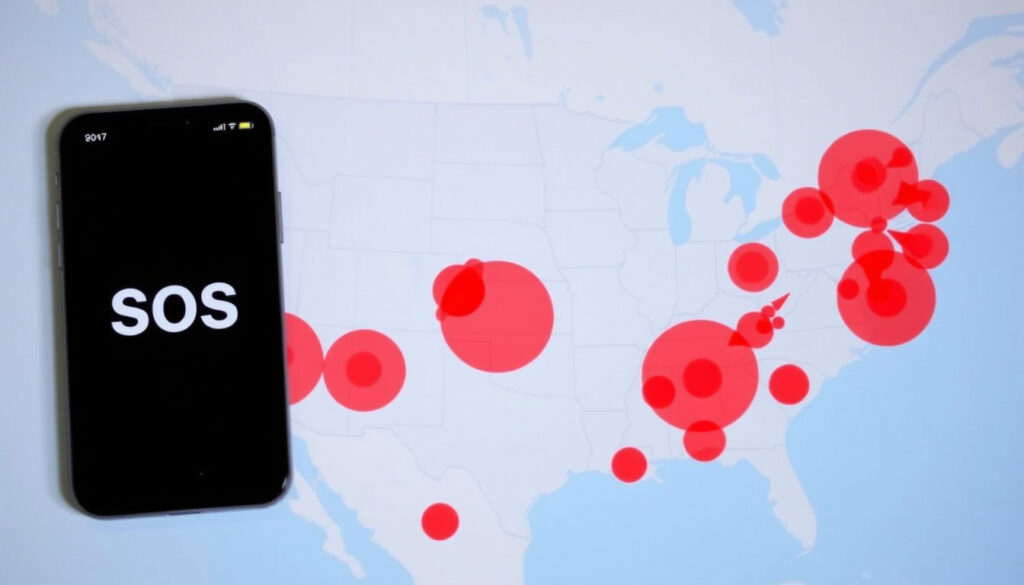
AT&T Outage Map: Check Service Status & Fix SOS Mode
That “SOS” in your status bar isn’t a cry for help—it’s a signal you’ve lost cellular connection. This guide walks you through how to check AT&T’s official outage tools, interpret crowd-sourced maps like Downdetector, and understand what SOS mode really means. During a major outage in August 2024, user reports on Downdetector surged to nearly 5,800 within two hours, according to USA Today (national news outlet).
Official outage checker: att.com/outages ·
Downdetector reports (24h): concentrated map of user reports ·
SOS mode duration: varies, typically ends when signal returns
Quick snapshot
- Visit att.com/outages and enter your zip code or sign in (AT&T official outage page)
- Check downdetector.com/status/att/map for user-reported problems in the last 24 hours (Downdetector AT&T map)
- SOS mode means no cellular signal; only emergency calls possible (USA Today explanation)
- Restart your router and modem, then check if other devices connect (AT&T support for network outages)
Four key reference points help you diagnose an AT&T outage quickly.
| Reference point | Details |
|---|---|
| Official outage page | att.com/outages – enter zip or sign in (AT&T official outage page) |
| Downdetector map | downdetector.com/status/att/map – user reports over 24 hours (Downdetector AT&T map) |
| SOS mode meaning | No cellular signal; emergency calls only (USA Today explanation) |
| Wi-Fi Calling | Use Wi-Fi for calls/texts when cellular is out (AT&T support for network outages) |
How do I check for AT&T outages in my area?
Whether your service is completely out or just sluggish, you can pin down the cause using three distinct tools.
Using the official AT&T outage page
- Go to att.com/outages and sign in with your AT&T account to see outages tied to your address.
- If you don’t sign in, you can still enter a zip code to view general service issues in that area, as explained on the AT&T outage information page.
- The page shows estimated restoration time when available, along with troubleshooting steps.
Skipping the official checker means you’re relying on crowd-sourced reports that may lag behind AT&T’s own data.
Using Downdetector’s AT&T map
- Visit Downdetector’s AT&T map to see a heatmap of user-reported problems over the past 24 hours.
- You can add a postcode or address for a more detailed local view, as noted on the Downdetector status page.
- This tool is useful for confirming that others in your area are experiencing the same issue.
Checking by zip code on third-party sites
- StatusGator’s AT&T map shows regions that have experienced service issues in the last 24 hours, with Michigan, Maryland, and Georgia listed as top areas in a recent snapshot (StatusGator AT&T outage map).
- These aggregators are best used as secondary confirmation after checking official sources.
The pattern: Official tools give you the exact status of your line; third-party maps tell you if it’s a broader event.
Why is my AT&T phone on SOS right now?
Seeing “SOS” in the status bar is alarming, but it’s simply your phone telling you it has no cellular connection.
Causes of SOS mode on AT&T
- Your device cannot register on any mobile network but can still reach emergency services via any available network, as USA Today explained.
- A network outage, SIM issue, or device coverage problem can trigger it. AT&T’s support page recommends starting with a restart and checking the coverage map.
How to fix SOS mode on iPhone
- Turn Airplane Mode on, wait 15 seconds, then turn it off. AT&T’s network outage support lists this as a key step.
- If that doesn’t work, restart your device completely. AT&T confirms that restarting resolves many no-signal issues.
- Check that your phone number is active on your account by signing in at att.com, and verify you’re in a covered area using the AT&T coverage map.
The catch: SOS mode is a symptom, not the problem. Fix the underlying outage or signal issue, and SOS disappears.
How do I get my phone out of SOS mode?
Once you’ve established that an outage is the cause, follow these steps to regain normal service.
Step-by-step to exit SOS mode
- Use the AT&T outage checker to confirm the outage. If one is active, wait for restoration.
- Toggle Airplane Mode off and on, or restart your phone as recommended by AT&T’s outage support.
- Reset network settings (Settings → General → Transfer or Reset iPhone → Reset → Reset Network Settings). This clears cached tower data.
When to contact AT&T support
- If SOS persists after the outage is resolved, run the real-time diagnostics available when you sign in at att.com, as per AT&T’s support page.
- If diagnostics show no issue, contact AT&T customer service for a SIM or provisioning check.
The implication: Most SOS cases during an outage resolve themselves once service is restored. Manual steps are only needed if the phone stays stuck after the map shows green.
If SOS mode stays on for more than an hour after the official checker reports no outage, it’s likely a device-level issue, not a network problem.
How long does SOS mode last?
The duration depends entirely on the cause of the signal loss.
Typical duration during an outage
- SOS mode ends the moment a cellular signal becomes available. During the August 2024 event, some users reported SOS for several hours until AT&T resolved the software problem (USA Today report).
- Fiber outages that knock out mobile backhaul can last 4–8 hours, based on typical AT&T resolution patterns.
Factors that prolong SOS mode
- Geographic coverage gaps: if you’re at the edge of AT&T’s coverage, SOS may persist even without an outage (AT&T coverage map).
- SIM damage or provisioning errors can lock the phone in SOS until AT&T pushes a network refresh.
The trade-off: Without an official restoration estimate from AT&T, SOS duration is a guessing game. Enable Wi-Fi Calling in the meantime whenever you have Wi-Fi (AT&T recommends Wi-Fi Calling).
Why is Wi-Fi not working today?
A dead Wi-Fi connection often sends people searching for “internet down in my area” — but the root cause might be your local network, not AT&T.
Distinguishing Wi-Fi vs. internet outage
- Check if other devices can connect to the same Wi-Fi network. If they can but have no internet, it’s an ISP outage. If no device connects, the router or modem is likely the issue.
- AT&T’s support article explains that you can get general outage details for wireless or internet service from the same outage checker.
Troubleshooting steps for AT&T Wi-Fi
- Restart your modem and router by unplugging for 30 seconds. AT&T’s support page includes this as a first step.
- If the AT&T outage page shows no internet outage in your area, the problem is likely in your home network — try a factory reset of the router.
The implication: Fixing the wrong layer wastes time. A quick check on the official outage page instantly tells you whether to wait or troubleshoot your own equipment.
Timeline signal: Recent AT&T outage patterns
Understanding the timeline of past outages helps set expectations for how quickly service returns.
- Past 24 hours: User reports on Downdetector concentrate in specific regions, forming a heatmap that often mirrors AT&T’s own outage data.
- Typical outage: AT&T provides an estimated restoration time on the official checker, which customers can view after signing in (AT&T outage information).
- SOS mode: Ends when the tower in your area comes back online, which may be faster than the full outage resolution if cells recover individually.
What’s confirmed vs. unclear
Confirmed facts
- AT&T’s official outage page at att.com/outages lets customers check for service issues in their area (AT&T official page).
- Downdetector aggregates user-reported problems and displays them on a map over a 24-hour window (Downdetector AT&T map).
- SOS mode on an iPhone means the device is not connected to a cellular network but can still make emergency calls (USA Today).
- During a network outage, Wi-Fi Calling can be activated for voice calls and texts (AT&T support).
What’s unclear
- The exact duration of SOS mode without a restoration update from AT&T — it depends on the outage scope.
- The cause of an outage in a specific location without an official statement from AT&T.
What the experts say
Our outage checker shows you any issues tied to your address after you sign in. You can also enter a zip code to see general service problems in the area.
— AT&T support page (official carrier guidance)
Our outage map shows where user reports are concentrated over the past 24 hours. You can add a postcode or address for a more detailed local view.
— Downdetector FAQ (crowd-sourced monitoring platform)
When your phone goes dark, the immediate question is whether it’s a personal device issue or a network-wide problem. Checking the official AT&T outage map first, then verifying with Downdetector, gives you the clearest picture. For AT&T customers experiencing SOS mode, the quickest fix is often to wait for restoration — but enabling Wi-Fi Calling keeps you connected in the meantime.
Related reading: How to check AT&T outage status today · AT&T outage map and SOS mode explained
geoblackout.com, statusgator.com, att.com, reddit.com, facebook.com, att.com, facebook.com
If you’re experiencing issues, the AT&T outage map can help you determine if it’s a local problem or a larger outage.
Frequently asked questions
How do I check AT&T outage by zip code?
Go to att.com/outages and enter your zip code without signing in. The page shows any general service issues reported for that area (AT&T outage information).
What does SOS mean on my AT&T phone?
SOS means your phone isn’t registered on a cellular network but can still call emergency services. It’s often caused by a network outage (USA Today explanation).
How long do AT&T outages usually last?
Most AT&T outages are resolved within 4–8 hours, but smaller events may clear in under an hour. The official outage page shows estimated restoration times when available.
Is Downdetector accurate for AT&T?
Downdetector is useful for spotting trends, but it’s based on user reports — not official network data. Always confirm with AT&T’s own checker (Downdetector AT&T status).
What should I do if my AT&T internet is down?
First, restart your modem and router. Then check att.com/outages for an internet outage in your area. If no outage is reported, the issue is likely your home network.
Will AT&T notify me when service is restored?
If you sign in at att.com/outages during an outage, you’ll see status updates. AT&T does not send automatic SMS notifications.
Can I get a credit for AT&T outage?
AT&T may issue credits for prolonged outages. Contact customer support after service is restored to request a credit. Policies vary by plan and state.
More related posts
 TCG Card Shop Simulator Console? PS5, Switch, Xbox Guide
 How to Set Up Google Alerts: iPhone, Android & Web
 We Didn’t Start the Fire Lyrics – Full Text, History and Meaning
 2023 Dodge Charger SRT Hellcat: Pricing, Specs & Theft Prevention
 Normal Blood Sugar Levels Chart for Adults (mmol/L)
 How to Make Coffee: Complete Guide with Ratios and Health Tips
 The Good American Family – Founders, Ownership, History 2025
 Maxi Dresses for Women: Casual, Wedding Guest & Summer Styles
